Accurate Live Weather
VoiTex Video EditorWeather
4.423.00 Reviews
- Version
- 1.03.5
- Installs
- 500.00K
- Age Rating
- Everyone
Screenshots
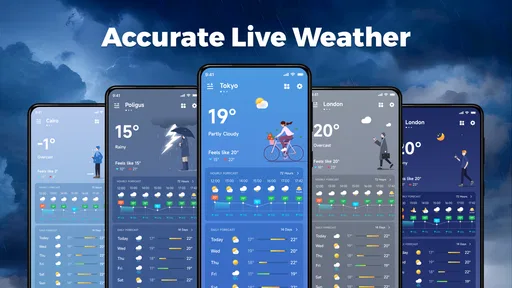
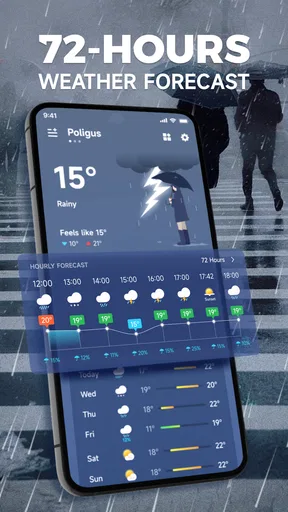
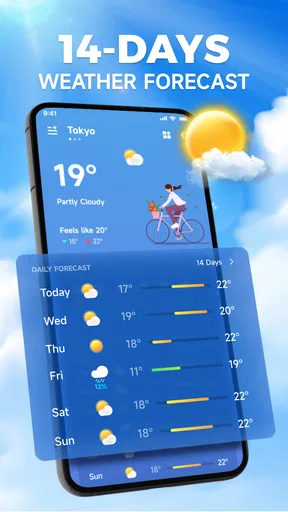
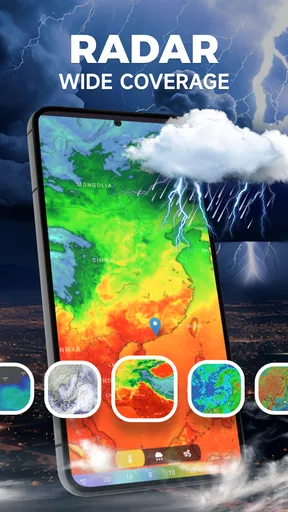
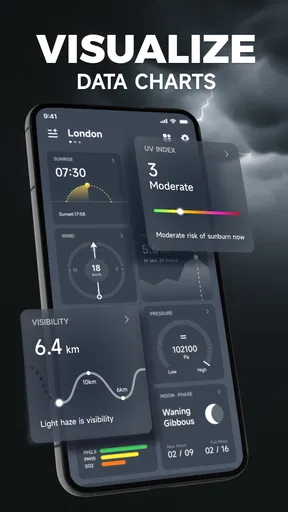
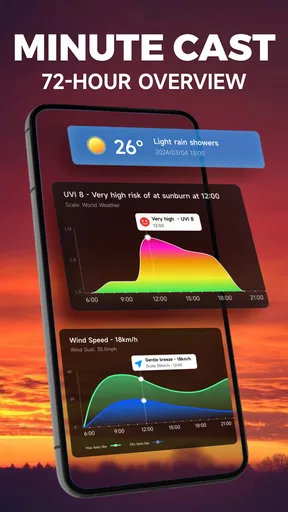
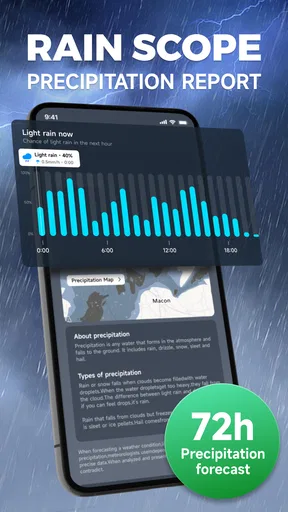
Our Review of Accurate Live Weather
 Analysis by Appyee
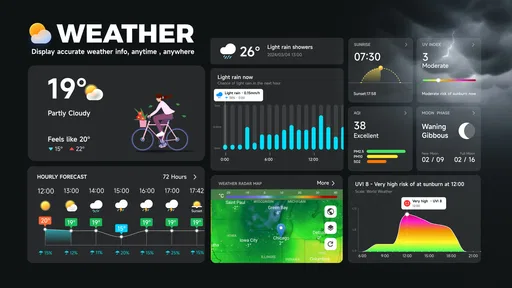
If you want a straightforward way to check the weather before leaving home, Accurate Live Weather is the kind of app I would try first. It belongs to the weather category and focuses on live conditions and forecasts rather than turning the experience into a crowded dashboard. After using it, I found the main appeal easy to understand: open the app, check what is happening around you, and use that information to make a small decision about your day.
That simplicity matters for a first-time user. Weather apps can become overloaded with maps, alerts, charts, widgets, and layers of settings, while the basic question remains the same: should I take a jacket, delay a walk, or change my travel plans? This app, developed by VoiTex Video Editor, aims to keep that question at the center. It is free, rated for Everyone, and available for devices running Android 7.0 or later.
I would not treat it as a replacement for every specialist weather service. People who need detailed storm tracking, professional forecasting tools, or extensive historical climate information may prefer a more advanced alternative. For everyday checks, though, the clean focus is useful. The app currently has a 4.4 average from around two thousand ratings and has passed half a million installs, which suggests that many users are finding value in that uncomplicated approach.
Getting from installation to a useful forecast
I’ll focus on the practical steps that turn a first launch into a useful daily check, including how I would match the forecast to a specific place and plan. I’ll also consider what a careful user should look for before relying on weather information, so the next section can address trust without assuming controls or data practices the app has not established.
What the first launch feels like
When I open a weather app for the first time, I want to understand its purpose immediately. Accurate Live Weather presents itself as a real-time companion, so the sensible starting point is to look for the current conditions and the forecast connected to my location. The app is not something I would install for entertainment or occasional browsing; its value comes from becoming a quick daily reference.
The current version is 1.03.5, and the app has been available since July 30, 2024. Those details are useful when deciding whether it fits an older phone, especially because the minimum operating-system requirement is Android 7.0. On a compatible device, the important test is not whether the app offers the longest list of weather tools, but whether I can reach a trustworthy-looking forecast without unnecessary effort.
My advice is to begin with one simple habit: use it at the same point in your morning routine for several days. Check the conditions before dressing, then check again before an outdoor activity. This gives the app a practical role instead of leaving it as another unused icon. The first meaningful success is making one better decision with the forecast, such as choosing shoes for wet ground or carrying an extra layer.
First setup without overthinking it
The setup process should be approached as a location-and-reading exercise. I would first make sure the app is displaying the place I actually care about, then spend a moment identifying where the current conditions end and the forecast begins. That small orientation step prevents a common mistake: reading a future prediction as if it described the weather outside right now.
If you regularly move between home, work, school, and another town, test the locations in the order you use them. A weather app is most helpful when the displayed place matches the decision in front of you. Checking a home forecast while preparing for a commute can be misleading if the two areas are experiencing different conditions. I prefer to confirm the location visually before relying on the result.
There is also a useful distinction between “live” information and certainty about the whole day. Current conditions answer what is happening now. A forecast helps with planning, but it should not be treated as a promise. I use the present reading for immediate choices and the later outlook for flexible planning. That habit is more reliable than reacting to one number or one symbol in isolation.
The first successful action: plan one real task
To get value from Accurate Live Weather quickly, choose a task that depends on conditions but does not require specialist analysis. For example, I might check it before walking to a nearby shop, decide whether a child needs a coat, or choose between cycling and public transport. I then compare the forecast with what I can see outside. This simple check helps me understand how the app communicates weather rather than merely tapping through screens.
A realistic morning scenario would be preparing for a commute while the sky looks unclear. I open the app, review the current conditions, look ahead to the part of the day when I will travel, and decide whether to carry rain protection. Later, I can check again before leaving work. The benefit is not dramatic; it is the quiet reduction of avoidable surprises. That is exactly where a focused weather app earns its place.
For outdoor plans, I would use the same workflow but add a backup decision. If I am planning a walk, I check the forecast before leaving and decide what I will do if conditions worsen. If I am arranging a picnic or a short trip, I use the app to choose a suitable window rather than assuming the entire day will remain unchanged. This is a better use of a forecast than asking it to remove all uncertainty.
Reading the information with the right level of confidence
The word “accurate” in the app’s name can create high expectations, but no weather application can make changing conditions perfectly predictable. I judge a weather tool by how useful it is for the decision I need to make, not by whether every later change matches an earlier prediction. Accurate Live Weather works best for ordinary planning where I can adapt if conditions shift.
For a short walk, a school run, or deciding what to wear, a quick current reading and a sensible forecast are usually enough. For severe weather, mountain travel, boating, aviation, or any situation where a wrong decision could be dangerous, I would consult official local warnings and specialist sources as well. This is not a criticism unique to this app; it is a sensible boundary for consumer weather software in general.
One practical tip is to look for patterns across repeated checks instead of reacting to a single refresh. If the outlook changes noticeably between morning and afternoon, I treat that as a reason to keep plans flexible. If it remains consistent, I feel more comfortable committing. The app becomes more useful when I use it as one input in a decision rather than as an unquestionable instruction.
Common confusion for new users
The first area that can confuse people is the difference between a current observation and a forecast period. A live condition is a snapshot of the present, while a forecast describes what may happen later. When planning, I read both in sequence: first the situation outside, then the expected change during the time I care about. That prevents the common error of seeing a pleasant current screen and assuming the evening will be the same.
Another source of confusion is location relevance. A forecast can be perfectly useful for one place and unhelpful for another. If I am leaving home for a different neighborhood or town, I make sure I am checking the destination rather than relying on the first location that appeared. This matters especially when the journey takes long enough for conditions to change.
It is also easy to expect a weather app to answer questions it was not designed to answer. A general forecast is not the same as a detailed radar interpretation, a long-range climate study, or an emergency alert service. Accurate Live Weather suits quick, repeated checks. If my decision depends on storm movement, road closures, air-quality detail, or highly specialized warnings, I would move to a tool built around that specific need.
How it compares with the usual weather alternatives
Compared with a phone’s built-in weather panel, this app is appealing if I want a dedicated place to check conditions rather than relying on a small glanceable card. The advantage is attention: opening a separate weather app encourages me to look at the current situation and the forecast together. The trade-off is that it adds another app to my routine, so it needs to be quicker or clearer than the default option to justify staying installed.
Compared with large weather platforms, Accurate Live Weather feels better suited to people who do not want a dense collection of maps, charts, news, and specialist layers. That can make the first-use experience less intimidating. The opposite side of that trade-off is important, though: users who enjoy detailed meteorological information may find a focused app less satisfying than a service with radar, extended visual history, and more controls.
I also see a difference between this app and simply searching the web whenever I need a forecast. A search can be convenient for a one-off question, but a dedicated app is easier to build into a daily habit. I can check it before leaving without repeating the same search. For someone who checks weather several times a day, that small reduction in friction is meaningful.
Small workflows that make it more useful
My preferred workflow is the “now, next, decision” method. I first read the current conditions, then look at the period covering my planned activity, and finally make a specific choice. The choice might be carrying an umbrella, changing the time of a run, or wearing a warmer layer. This keeps the app from becoming passive information consumption.
A second useful workflow is checking at transition points rather than constantly refreshing. I check after waking, before leaving home, and before starting an outdoor activity. That spacing gives the forecast a purpose and avoids the temptation to let minor changes dominate my attention. It is especially helpful for people who want weather guidance without turning it into a day-long monitoring task.
A third tip is to compare the forecast with your own observations without assuming either source is always right. If the app suggests improving conditions but the sky is already dark and wind is increasing, I delay a nonessential plan. If the forecast looks uncertain but local conditions are stable, I may continue while keeping an alternative in mind. This combination of app information and common sense is more practical than blind confidence.
Who should use it and who should skip it
I would recommend Accurate Live Weather to first-time weather-app users, families making everyday plans, commuters, students, and anyone who wants a free way to check current conditions without learning a complicated interface. It is also a sensible option for an older compatible Android phone because the minimum requirement reaches back to Android 7.0. People who prefer a single-purpose tool may appreciate that the app’s identity is easy to understand.
I would be more cautious about recommending it to professional outdoor users or people who need highly detailed warning information. Hikers in exposed areas, boaters, pilots, emergency volunteers, and users making safety-critical decisions should use official and specialist sources alongside any general forecast app. Someone who mainly wants a home-screen glance may also prefer a built-in widget if opening a separate app feels like extra work.
The free price removes the main financial barrier to trying it, and the Everyone age rating makes it broadly approachable. Still, “free” does not automatically mean it is the best fit. The real question is whether its focused presentation gives me enough information for my routine. If I need advanced visualization or a large set of weather layers, I would choose a more specialized alternative even if this app is easier to start with.
My next-step recommendation
After installation, I would spend the first day learning the layout rather than judging the app from one glance. Check the current conditions in the morning, review the forecast before one outdoor task, and return later to see how the situation developed. That process answers the questions a store description cannot: whether the location feels relevant, whether the forecast is easy to interpret, and whether the app fits naturally into your day.
Keep the app if it helps you make those decisions quickly and calmly. Remove it or replace it if you repeatedly need information it does not present clearly, or if your usual activities require specialist warnings. In my experience, the strongest reason to keep Accurate Live Weather is not the promise of a perfect forecast; it is the convenience of having a focused, free weather reference ready when a small plan depends on the sky.
Overall, I see Accurate Live Weather as a practical starting point rather than an all-purpose meteorological workstation. Its combination of live conditions, forecast-focused use, broad age rating, and accessible cost makes it easy to recommend to someone who wants less clutter. Just use it with realistic expectations, confirm the relevant location, separate current conditions from later predictions, and bring in official sources whenever the weather decision carries serious consequences.
Verdict
Strengths of Accurate Live Weather
- Accurate forecasts include hourly and daily weather details.
- Clean interface makes current conditions easy to check quickly.
- Supports multiple locations for convenient travel planning.
- Weather alerts help users prepare for sudden changes.
- Useful widgets provide updates without opening the app.
Limitations of Accurate Live Weather
- Some advanced features may require a paid subscription.
- Advertising can make the free version feel less streamlined.
- Forecast accuracy may vary depending on location and data coverage.
- Frequent background updates can increase battery consumption.
- The app may request location access for automatic local forecasts.
Similar Picks in This Category
View All
Weather - By Xiaomi
Xiaomi Inc.4.1

Weather & Radar Forecast
WetterOnline4.8

Weather
OneLouder Apps4.6

AccuWeather: Weather Radar
AccuWeather3.6

The Weather Channel - Radar
The Weather Channel4.6

1Weather Forecasts & Radar
OneLouder Apps4.3
Frequently Asked Questions
What is Accurate Live Weather, and what does it offer?
Accurate Live Weather is a weather application designed to provide current conditions, forecasts, temperature details, precipitation information, wind data, humidity, and other useful meteorological updates. During testing, its main appeal was the convenient presentation of everyday weather information in one place. It can help users plan commutes, outdoor activities, trips, and daily routines without relying only on a basic phone weather widget.
How accurate are the forecasts in Accurate Live Weather?
Forecast accuracy depends on the weather data provider, your location, local geography, and how far ahead you are checking. Short-term forecasts are generally more dependable than predictions several days into the future, especially during rapidly changing conditions. Users should treat the app as a helpful planning tool rather than an absolute guarantee, and compare severe-weather information with official local alerts when safety is involved.
Does Accurate Live Weather require location access?
The application may request location permission so it can automatically display weather conditions and forecasts for your current area. You can usually choose whether to allow location access all the time, only while using the app, or not at all, depending on your device and operating-system version. If you prefer greater privacy, you may be able to enter a city manually, although automatic updates may be less convenient.
Does Accurate Live Weather send notifications or use battery and mobile data?
Accurate Live Weather can use mobile data or Wi-Fi to refresh forecasts, maps, alerts, and current conditions. If notifications are enabled, it may also send weather updates or warnings, depending on the features available in your version and your selected settings. Frequent background updates and location services can affect battery life, so users who want to reduce consumption should adjust refresh intervals, notifications, and location permissions.
Is Accurate Live Weather free to download and use?
The app may be available as a free download, but some versions can include advertising, optional subscriptions, or premium features such as extended forecasts, advanced radar views, extra widgets, or an ad-free experience. Before installing, check the Google Play Store or Apple App Store listing for the current pricing and in-app purchase details. Availability, features, and payment conditions can vary by country, device, and app version.
